Time to Read:
About 1 minute
This information will explain how to set up and take a weight using the Withing Body Scale.
How to set up your Withings Body Scale
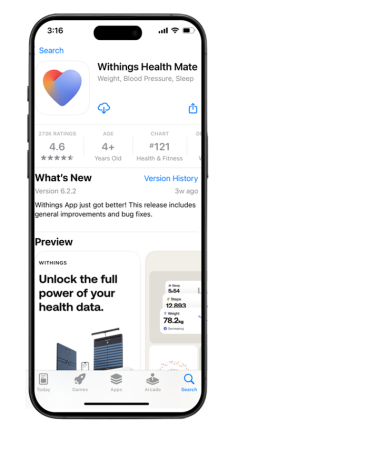
- Download the Withings Health Mate app from iOS or Google Play Store (see Figure 1).
- Select “Get Started” (see Figure 2).

- Enter the email address you would like to sign up with and click “Continue” (see Figure 3).

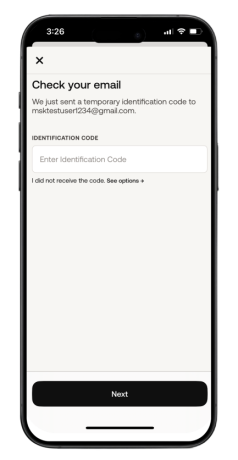
- Check your email address for a Withings verification code. Enter the code into the Withings Health Mate App and click “Continue” (see Figure 4).
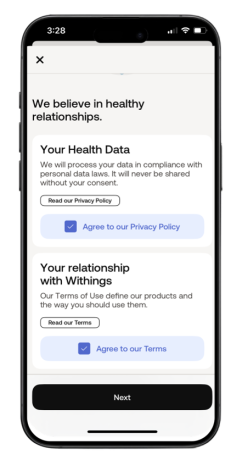
- Review the Withings Health Mate Privacy Policy and Terms. Select the checkboxes and click “Next” (see Figure 5).
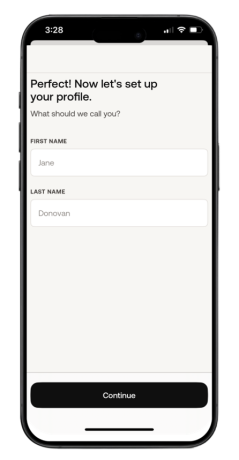
- Enter your First Name and Last Name and tap “Continue” (see Figure 6).
- Continue to create your profile. Enter your date of birth, assigned sex, height, and weight. Tap “Next” (see Figure 7).

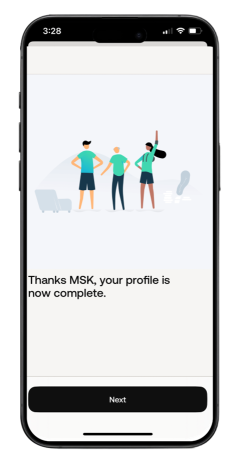
- Your profile is now setup. Tap “Next” to continue (see Figure 8).
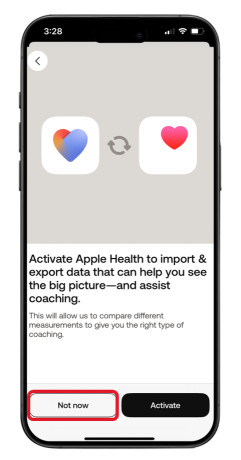
- You will see a screen that asks you about activating Apple Health. Tap “Not now” (see Figure 9).
- From top right-hand corner of the Home screen, tap the “Devices” icon (see Figure 10).

- Tap the “Install a device” (see Figure 11).

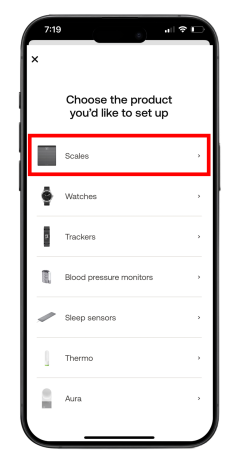
- Select “Scales” from list (see Figure 12).
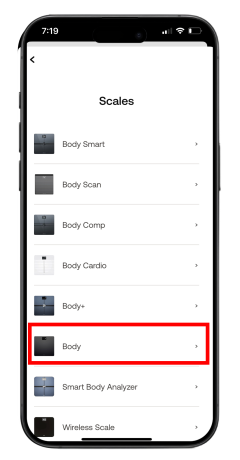
- Select “Body” from the list (see Figure 13).
- Select “Install” (see Figure 14).

- Flip your scale over. Press and hold the power button for 3 seconds. You will see the screen on the front light up. Tap “Next” in the Withings Health Mate app (see Figure 15).

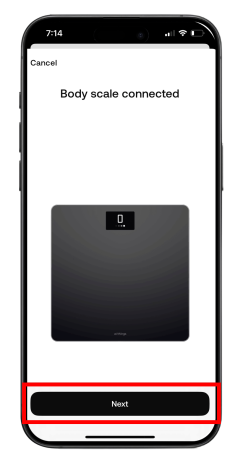
- Once the Body scale is detected tap “Next” (see Figure 16).

- Tap “Pair” to start pairing the scale (see Figure 17).
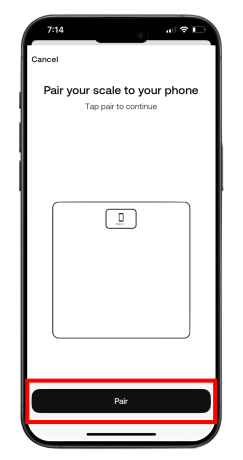
- Tap “Pair” when the Bluetooth Pairing Request appears (see Figure 18).

- Tap “Next” (see Figure 19).
- Tap “I don’t have Wi-Fi”. The phone will be setup to connect to Bluetooth (see Figure 20).

- To setup scale, tap “BMI”. Then tap “OK” in the top right-hand corner (see Figure 21).

- The scale setup is complete. Tap “Next” (see Figure 22).

How to get a weight on your Body Scale
- To get your weight, step onto your Body scale with both feet flat on the scale.
- The numbers will change and flash twice when done. Tap “Done” (see Figure 23).

- You can review your weight on the Withings Health Mate app. The reading may take a few minutes to show up.
- Tap “Home” from the menu at the bottom. Your reading will automatically be sent to your care team at MSK. (see Figure 24).

Last Updated
January 31, 2025
Learn about our Health Information Policy.